Over the past year, I’ve heard the same quiet doubt from a lot of developers: “If I accept this AI suggestion, am I getting smarter—or just cutting corners?”That hesitation is understandable. AI coding assistants went from “interesting side project” to “standard tool in the editor” in almost no time.
By 2025, you can walk into most engineering teams and expect a good chunk of the developers to have something like GitHub Copilot, Amazon CodeWhisperer, or a chat-based assistant running in the background. What we don’t talk about enough is that using these tools well is a skill in its own right. You don’t flip a switch and magically become more productive. On some teams, these tools have unlocked serious velocity; on others, they’ve quietly created piles of subtle bugs and long-term technical debt.
This guide looks at how AI pair programming actually feels in day-to-day work, what habits separate healthy use from dependency, and how to get the benefits without letting your core engineering skills atrophy.
What is AI pair programming?
In classic pair programming, two developers share one task: one types, the other constantly reviews, asks questions, and spots problems early. It’s effective, but it also doubles the number of people involved in the same piece of work.
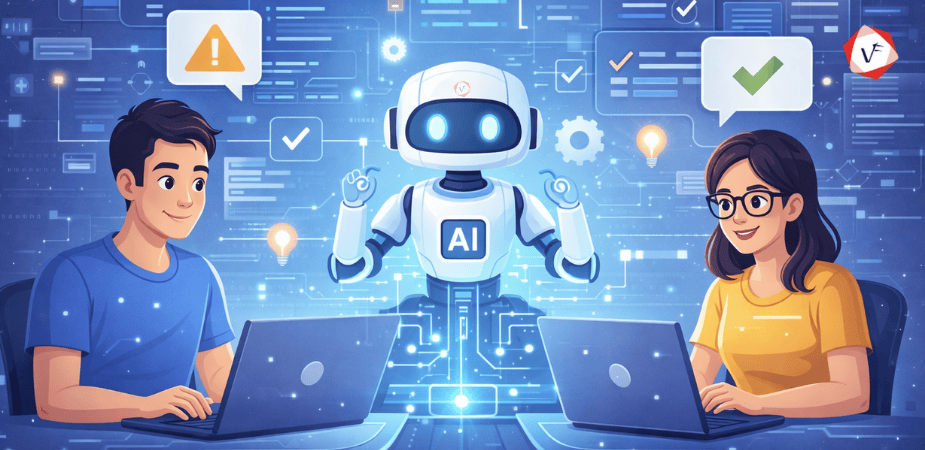
With AI pair programming, the second person is replaced by an assistant built into your editor. It pays attention to the file you’re editing, looks at nearby files, and suggests code, tests, refactors, and comments as you move. You still drive; it offers options, explanations, and alternative implementations.
Over time, many tools start to adapt to your habits. They pick up how you name things, which frameworks you lean on, and the conventions your team follows, so suggestions feel less generic and more aligned with your usual style.
It’s far from infallible—sometimes confidently wrong, sometimes missing obvious context—but unlike a human partner, you can mute it, roll back instantly, or ignore it without any awkwardness when you need to think in silence.
How does AI pair programming work?
The mechanics are less mysterious than they seem from the outside.
You open your IDE, start typing a comment or the first line of a function, and the assistant quietly analyzes what you’ve written along with the surrounding code. It builds a picture of what you might be trying to do—query a database, call an API, process a list—and then predicts what the rest of the code could look like.
Those predictions show up as inline suggestions or small blocks of code you can accept with a keystroke, tweak, or dismiss. The way you respond feeds back into the model’s behavior: if you consistently reject a certain pattern, it will eventually offer something different.
Under the hood, these tools use large language models trained on huge volumes of public code and documentation. They don’t “understand” your product vision, but they’re very good at recognizing recurring structures, filling in boilerplate, and sketching out reasonable first drafts of many common tasks.
Why are developers adopting this approach?
Speed is the headline benefit, but if you talk to teams that have leaned into AI, they rarely stop there.
Yes, writing that same wiring code for the nth time is faster when the assistant fills it in. When you’re under a deadline, offloading repetitive patterns is a relief. But the more interesting change is where developers choose to spend their attention once the repetitive work shrinks.
Instead of burning mental energy on syntax details, you can focus more on architecture, trade-offs, and user impact. Rapid prototyping becomes easier: you can build a rough version of an idea quickly, see if it holds up, and then decide whether it’s worth polishing.
Less experienced developers also tend to ramp up faster in environments where AI is used as a teaching aid. They can experiment, see different ways to solve the same problem, and get instant feedback without waiting for a human review on every small step.
From a business standpoint, the appeal is straightforward: if the same team can ship more and iterate faster without a proportional increase in headcount, AI pair programming looks like a sensible investment rather than a novelty.
Best practices that actually matter
After watching different teams adopt AI in very different ways, certain patterns keep showing up among the ones who get real value without losing control of their codebase.
- Treat the AI like a junior developer, not a replacement
Think of your assistant as a capable but inexperienced teammate. It’s great at drafting, filling gaps, and suggesting options, but it doesn’t own the decision.
Use it for things you’d comfortably delegate to someone still learning the system: scaffolding, repetitive glue code, basic tests, initial documentation drafts, or alternative implementations you can compare against your own idea.
When it comes to core business rules, critical paths, and subtle edge cases, you still need to understand every line that goes in. If you wouldn’t let an intern merge something without a careful walk-through, don’t let your AI do it either.
- Read every line before accepting it
The fastest way to get burned is to accept suggestions on autopilot because they “look right.”
Remember that the assistant is pattern-matching, not reasoning about your specific objectives. A suggestion might be perfect for a generic tutorial scenario and completely wrong for your data model, performance constraints, or security rules.
If you can’t explain what a block of generated code is doing and why it’s safe in your context, slow down. Either ask the AI to break it down step by step or rewrite it yourself in a way you fully understand.
- Keep security front of mind
Because these models learn from a mix of good and bad examples, they occasionally surface practices you wouldn’t knowingly copy into your own systems.
You might see verbose error messages that leak details, fragile authentication flows, unsafe SQL string concatenation, or outdated crypto defaults. None of those will show up with a big warning label; they’ll often look clean and efficient at first glance.
Make sure your usual security checks—including static analysis, dependency scanning, and human review—still apply to AI-assisted code. The fact that a tool suggests it doesn’t make it safe by default.
- Maintain consistent style across your team
When everyone has an assistant tuned slightly differently, style drift can creep in even if you all agree on the same guidelines.
Some tools will adapt to personal habits, which can be great for individuals but awkward for shared code. The simplest countermeasure is to enforce automatic formatting, linting, and naming conventions at the repository level, so everything gets normalized before it reaches main.
It also helps to document patterns you want the assistant to favor or avoid—docstrings, error handling, logging conventions—so developers can “hint” the AI in the right direction with comments and prompts.
- Don’t outsource your documentation thinking
Auto-generated comments and README snippets can be a good starting point, especially for describing function signatures or setup steps.
What they can’t reliably capture is the context behind your decisions: why you chose one approach over another, which trade-offs you accepted, or what hidden constraints influenced the design.
Use the assistant to draft the boring parts, then layer in the reasoning, warnings, and tribal knowledge that only someone who actually worked on the feature would know.
- Keep human code reviews in place
An AI-generated diff is still a diff that needs human eyes on it.
Code reviews are where you catch things the assistant isn’t optimized for: architectural coherence, long-term maintainability, team standards, and alignment with product goals.
Ideally, you want AI to raise the baseline quality before review, so reviewers spend less time nitpicking and more time talking about system design, resilience, and user impact.
Pitfalls you need to avoid
For every team that credits AI with major productivity gains, there’s another that quietly backed away after a rough experience. Most of those stories come down to a handful of recurring traps.
- Overdependence kills critical thinking
The biggest danger, especially for newer developers, is letting the assistant do the hard thinking for you.
If you rely on suggestions for every function and fix, it becomes harder to build the deep understanding you need to reason about performance, correctness, and trade-offs. When something breaks in production, you might be staring at code you “wrote” without really owning it.
Teams that avoid this trap deliberately carve out time where developers code without assistance—on small exercises, internal tools, or learning projects—so core problem-solving muscles still get regular use.
- Generated code often looks better than it is
AI-generated code tends to be neat and confident, which can be misleading.
It may pass basic tests and handle happy paths well, while hiding performance issues, duplicated logic, or awkward abstractions that won’t age gracefully. The danger is assuming “clean-looking” equals “production-ready.”
You still need to review for readability, cohesion, error handling, and how the new code fits into the existing architecture—not just whether it compiles and appears to work.
- Privacy and security risks with cloud-based tools
Many assistants work by sending prompts and code snippets to remote servers, processing them, and streaming back suggestions.
That’s fine for open-source experiments, but much riskier for private repositories, regulated industries, or unreleased product code. Some organizations now treat AI tools as third-party vendors that must pass formal security and compliance checks before use.
If confidentiality matters, look closely at which data leaves your environment, whether logging can be disabled, and whether there are local or self-hosted options that keep your code within your own infrastructure.
- Version control gets messy fast
Because Artificial Intelligence can spin out a lot of code very quickly, it’s easy to end up with noisy commit histories.
Developers might accept suggestions, try a direction, revert, and repeat—all in the same branch—leaving behind tangled diffs that are hard to review and reason about later.
Agree as a team on what a “good” commit looks like in an AI-assisted world: focused changes, clear messages, and conscious decisions about which experiments get kept and which get thrown away before pushing.
- Outdated patterns show up more than you’d expect
Because the models learn from historical code, they can occasionally suggest patterns that made sense years ago but are no longer recommended.
You might see older APIs, deprecated methods, or architectural approaches that your framework has since moved away from. Nothing about the suggestion will necessarily flag that it’s out of date.
Someone on the team still needs to stay current with the ecosystems you use, cross-check suspicious suggestions against official docs, and push back when something feels “off” compared to current best practices.
Where does this work in the real world?
AI pair programming isn’t just a cool demo; it’s already woven into many day-to-day workflows across different kinds of teams.
Early-stage startups often lean on these tools to explore ideas quickly with lean teams. When the priority is validating whether something is worth building fully, being able to spin up working prototypes faster can be the difference between shipping and stalling.
Larger organizations increasingly hook assistants into their existing pipelines. Suggestions are used alongside automated tests, static analysis, and CI checks to catch basic issues before reviewers get involved, which shortens feedback loops and release cycles.
Independent developers and freelancers use AI to safely stretch into languages or frameworks they don’t know as well, letting the assistant handle some of the “translation” work while they focus on understanding the problem domain.
In education, instructors are experimenting with AI as a lab partner: students get real-time hints, explanations, and alternative solutions while still being graded on understanding rather than just copying code.
Across all of these environments, the pattern is consistent: the assistant is most useful when it’s treated as a force multiplier for human judgment, not as a replacement for it.
If you’re considering introducing AI pair programming to your team, a few tools come up in most conversations in 2025.
GitHub Copilot plugs into popular IDEs and editors and streams real-time suggestions as you type. It covers a wide range of languages and frameworks and is widely used by individual developers and teams across different sizes.
Amazon CodeWhisperer is tightly aligned with AWS ecosystems. It’s particularly useful when you’re wiring services together in the cloud and want recommendations that respect AWS patterns, services, and security features.
ChatGPT– style assistants can act as a conversational coding partner, helping debug issues, explain unfamiliar code, draft refactors, or reason about design options. This interaction style can be especially helpful for learning and designing before you commit to an implementation.
Tabnine focuses heavily on privacy, offering on-device or private-deployment options so teams can keep code inside their own environment while still getting in-editor completions.
Replit Ghostwriter is popular in web-first and learning-focused contexts, where people want an in-browser environment that combines coding, collaboration, and AI assistance without a complicated setup.
Most of these tools offer some kind of trial or free tier, so the best way to choose is often to pilot a couple with a small group and see which one actually fits your stack and culture.
What comes next for AI pair programming
We’re still early in this space, but the direction of travel is already visible.
Today’s assistants are mostly focused on what’s in front of them—current files, nearby modules, and recently opened tabs. Future versions are likely to have a deeper grasp of entire systems: how your authentication flows work, how services talk to each other, and where boundaries between domains live.
We’re also likely to see tighter connections between coding assistants and the rest of the toolchain. That could mean AI that reads tickets, proposes implementation plans, opens PRs with initial drafts, and then watches production logs to suggest follow-up fixes or optimizations.
On the enterprise side, demand for private models and on-premise deployments will almost certainly keep growing, as more companies want AI benefits without sending code outside their own controlled environments.
As these tools mature, the emphasis will shift from generic “smart autocomplete” toward assistants that understand your specific organization’s patterns, libraries, and preferences and adapt accordingly.
If trends continue, working without some form of AI partner by the end of the decade will probably feel as dated as writing code in a plain text editor with no linting or autocomplete.
Why teams are seeing real gains
- Development cycles actually get shorter
When you stop hand-writing the same wiring logic over and over, features simply move through the pipeline faster. On projects with lots of routine coding, teams often see meaningful cuts in implementation time once they’ve learned how to prompt and review effectively.
That time saving shows up in other places too: experiments that would have been “nice to have someday” become quick spikes, and feedback from users can be incorporated more frequently because the cost of making changes drops.
- Code quality improves with the right oversight
Assistants are good at catching low-hanging fruit: missing checks, inconsistent naming, obvious inefficiencies, or forgotten edge cases that resemble patterns they’ve seen before.
When those issues are addressed early, reviewers can spend their limited time looking at architectural risks, future maintainability, and alignment with requirements rather than pointing out small mistakes.
- Learning happens continuously
For newer developers, having an AI partner available 24/7 is a bit like pairing with someone patient who doesn’t mind answering the same question multiple ways.
They can ask “why” and “how” in the middle of writing real code, see alternative solutions, and try things safely. That kind of embedded learning often sinks in faster than reading a guide and then trying to remember everything later.
Context-switching between trivial syntax issues and deeper design problems is exhausting. When AI takes some of the repetitive burden, developers can stay in problem-solving mode longer.
Over the course of a day, that can mean fewer mistakes made out of tiredness, better decisions on the hard problems, and a bit more creative energy left over for the parts of the job that actually require human judgment.
- Team collaboration becomes more consistent
When everyone has access to similar suggestions, it nudges the team toward a more coherent set of patterns, especially when combined with clear guidelines and automation around formatting.
Distributed teams, in particular, benefit from having an “always-on” assistant that encourages similar approaches even when people rarely overlap in working hours.
If obvious issues are caught before a pull request is even opened, reviewers are less likely to get bogged down in minor comments.
As a result, review cycles shorten, releases can happen more often, and the overall development flow feels smoother without sacrificing the quality bar the team cares about.
Ready to integrate AI into your development workflow?
At Vofox Solutions, we work with teams to introduce AI pair programming in a way that matches their stack, security requirements, and culture—not as a one-size-fits-all tool drop.
Want to explore what this could look like for your organization? Reach out to us, and we’ll help you design a rollout plan, training, and guardrails that keep quality and ownership where they belong.
Common questions answered
What is AI pair programming?
AI pair programming is a development practice where a human developer writes code with help from an AI assistant built into their editor. The assistant suggests snippets, proposes refactors, explains unfamiliar pieces of code, and can generate tests or documentation, while the developer stays in control of what actually gets committed.
Can AI pair programming replace developers?
No. These tools are powerful accelerators for certain tasks, but they can’t take over responsibility for understanding business goals, prioritizing trade-offs, or owning long-term system health. They work best as collaborators that amplify an experienced developer’s judgment rather than as drop-in replacements.
Is AI pair programming secure?
It can be, but it isn’t automatic. Some assistants operate entirely in the cloud and may process your code externally, which can be a dealbreaker for sensitive or regulated projects. Before adopting any tool, it’s essential to review its security documentation, understand how data is stored and utilized, and select local or private deployment options as necessary.
Which AI pair programming tool is best in 2025?
There’s no universal winner. GitHub Copilot is widely used for general-purpose development. Amazon CodeWhisperer fits naturally into AWS-heavy environments. Tabnine appeals to teams that prioritize on-device or private models. Chat-based assistants are strong for explanation and design work. The “best” tool is the one that integrates cleanly with your stack and meets your security and compliance needs.
How can beginners benefit from AI pair programming?
Beginners can use AI as a companion that turns docs and examples into interactive feedback. When they get stuck, they can ask for explanations, see step-by-step reasoning, or request alternative solutions. As long as they take time to understand the suggestions instead of blindly accepting them, it can significantly accelerate learning.
Does AI pair programming work for all programming languages?
Most mainstream assistants support popular languages such as Python, JavaScript, TypeScript, Java, C#, C++, and Go reasonably well. Niche or very new languages usually have weaker coverage, so suggestions may be more generic or sparse in those ecosystems.
How much does AI pair programming cost?
Pricing varies by provider and plan. Many tools use per-developer monthly subscriptions, with lower-cost tiers aimed at individuals and more expensive business or enterprise tiers that add features like policy controls, SSO, and enhanced privacy. Several options also provide free tiers or trials so teams can experiment before committing budget.
Will AI pair programming make me a worse developer?
It can, if you treat it as a crutch. If you accept suggestions without thinking, your ability to reason about code will stagnate. If you use the assistant as a way to see new patterns, ask questions, and validate your own ideas, it can actually make you sharper by exposing you to more examples in less time.
Final thoughts
AI pair programming isn’t a passing fad; it’s quickly becoming part of the standard toolkit for modern software teams.
As the tools improve and integrate more deeply into the rest of the development stack, the interesting question won’t be “should we use AI?” but “how do we use it without giving up the skills and judgment that make us good engineers in the first place?”
The teams that get the most out of this shift treat AI as a partner. They still review carefully, still invest in understanding, and still hold a high bar for security and quality. The assistant helps with speed and convenience, but ownership of the system stays firmly with the humans.
There won’t be a single recipe that fits every company, but one thing is already clear: when AI pair programming is introduced thoughtfully—with guardrails, training, and a culture that values learning—it can help teams ship better software, faster, without losing their edge.