Table of Contents
An operations manager I know spent two months emailing the dev team asking for a simple admin panel. Just a way to update customer records without going through engineering every time.
The dev team finally responded: “We can build it, but it’ll take three months and we have other priorities.”
She ended up cobbling something together with Retool in a weekend. Not perfect, but functional. The devs were annoyed that she went around them. The CEO was annoyed it took two months to get a basic tool.
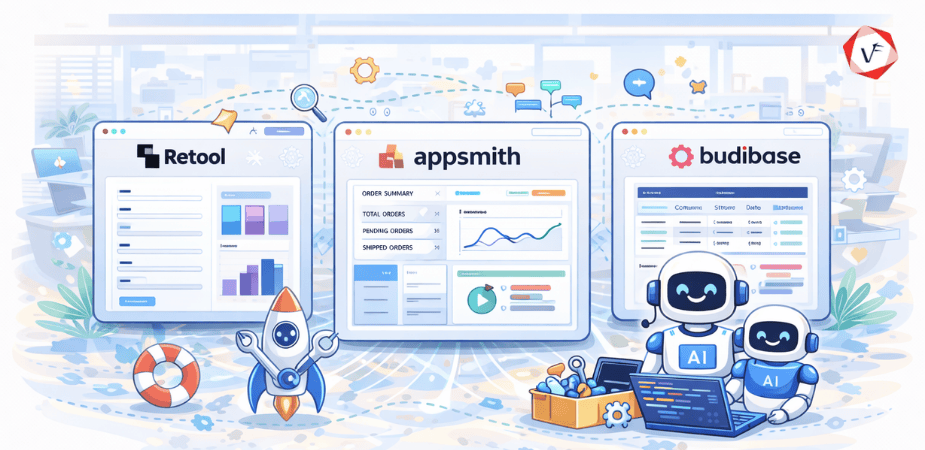
That tension is why low-code platforms for internal tools have exploded. They promise to solve the waiting problem. But each one solves it differently.
Why Internal Tools Actually Matter
Every business runs on internal tools. The stuff customers never see but employees use constantly.
Admin panels for managing users. Dashboards for tracking metrics. Forms for processing refunds. Tools for approving expenses. Systems for monitoring inventory.
When these tools are good, work flows smoothly. When they’re bad or missing, people resort to spreadsheets, Slack messages, and email chains. Mistakes multiply. Things take forever.
The build-versus-wait problem
Building custom internal tools from scratch is expensive. A competent developer might charge $100-150 per hour. A simple admin panel could easily be 80-120 hours of work. That’s $10,000+ for something only five people will use.
So internal tools get deprioritized. Developers focus on customer-facing features. Operations teams wait months for basic functionality.
Low-code platforms changed this equation. What took weeks might now take days. What cost $10,000 might cost $1,000 or even less.
What Low-Code Actually Means
Let’s clear up what “low-code” actually delivers, because the marketing is misleading.
Low-code doesn’t mean no-code. You still need someone who understands how databases work, how to structure queries, and how to connect APIs. But instead of writing everything from scratch, you’re assembling pre-built components and configuring them.
What you get
Drag-and-drop UI builders for forms, tables, and charts. Database connectors that handle the integration work. Authentication and permissions already built in. Deployment infrastructure so you don’t need to set up servers.
This means a developer can build in hours what used to take days. A technical operations person can build in days what used to require a developer.
What you don’t get
Complete customization. If you want something specific that doesn’t fit the platform’s model, you’ll struggle. Perfect performance at scale. These platforms optimize for speed of development, not speed of execution. Zero learning curve. Even drag-and-drop tools require understanding their specific patterns and limitations.
Retool: The Power Option
Retool is the platform developers actually like using. It doesn’t try to hide complexity. It gives you power and lets you figure out how to use it.
What makes it different
Retool assumes you know what you’re doing. It provides excellent database integrations, supports custom JavaScript anywhere you need it, and has genuinely good version control built in.
The UI components are polished. When you build something in Retool, it looks professional, not like a prototype. This matters when executives are using the tools you build.
Where it excels
Complex dashboards with real-time data. Admin panels that interact with multiple systems. Tools that need sophisticated permissions and audit logging. Anything where you’re connecting to five different data sources and need them to work together seamlessly.
Where it struggles
Cost. Retool pricing starts reasonable but scales up fast. For a team of 20 users, you could easily be paying $1,000+ per month.
Learning curve. Non-technical people will find Retool intimidating. Even developers need a few days to understand Retool’s patterns and best practices.
Vendor lock-in. You’re building on Retool’s platform. Moving to something else later means rebuilding from scratch.
Who should use it
Companies with developers who are tired of building internal tools from scratch. Teams that need enterprise-grade security and compliance. Organizations where the cost of the platform is trivial compared to developer time savings.
Appsmith: The Flexible Middle
Appsmith is what happens when developers who liked Retool decided to build an open-source alternative. It’s free, customizable, and doesn’t lock you in.
The open-source advantage
You can run Appsmith on your own infrastructure. No ongoing costs beyond hosting. Full access to the source code if you need to modify something. A community contributing plugins and integrations.
This matters for companies with data sensitivity concerns or tight budgets. You’re not sending data to a third-party service. You control everything.
Where it matches Retool
Database connectors are solid. API integrations work well. JavaScript support is comparable. The widget library covers most use cases.
For many internal tools, Appsmith can do everything Retool can, just with a bit more configuration work.
Where it falls short
The UI isn’t quite as polished. Components sometimes feel rough around the edges. The documentation is improving but still has gaps. Enterprise features like SSO and audit logging require more setup.
Self-hosting means you’re responsible for updates, security patches, and infrastructure management. For some teams, that’s a feature. For others, it’s a burden.
Who should use it
Startups and mid-size companies that want Retool-like capabilities without the cost. Teams with DevOps resources who can handle self-hosting. Organizations where data control is non-negotiable.
Budibase: The Speed Play
Budibase optimized for a different problem: getting something working as fast as possible with minimal technical knowledge.
Built for non-developers
Budibase has the gentlest learning curve of the three. The interface is cleaner. The defaults are smarter. You can build a functional CRUD app in an hour without touching code.
It also includes a built-in database, so you don’t even need to set up PostgreSQL or MySQL if you’re starting from scratch. Just define your data structure and go.
Automation focus
Budibase emphasizes workflows and automation more than the others. You can set up triggers, scheduled tasks, and multi-step processes without writing much code.
This makes it good for operational tools where the workflow matters as much as the interface.
The limitations
Customization ceiling is lower. When you need something specific that Budibase doesn’t support natively, you hit walls faster than with Retool or Appsmith.
Integration ecosystem is smaller. Fewer pre-built connectors. Less community support compared to the other two.
It’s great for simple to moderate complexity. Once you need advanced features, you’ll feel constrained.
Who should use it
Small teams without dedicated developers. Operations people who need to build tools themselves. Anyone prioritizing speed and simplicity over flexibility and scale.
How They Actually Compare
Let’s talk about how these platforms differ in practice, not just in marketing materials.
Speed to first working app
Budibase is fastest for simple apps. Hour or two. Appsmith is next, maybe half a day for something basic. Retool takes longer upfront because there’s more to learn, but experienced users move fastest on Retool.
Complexity ceiling
Retool handles the most complex scenarios. Multi-database joins, custom authentication flows, sophisticated permissions. Appsmith is close behind. Budibase tops out earlier.
Total cost
Appsmith and Budibase are free if you self-host. Factor in infrastructure costs, maybe $50-200 per month depending on usage. Retool starts around $10 per user per month but scales up. Enterprise plans can be thousands monthly.
Developer experience
Developers prefer Retool or Appsmith. Better JavaScript support, more control, cleaner abstractions. Budibase feels more like a traditional no-code tool, which developers find limiting.
Non-developer experience
Budibase wins here. Operations people and analysts can be productive quickly. Appsmith requires more technical understanding. Retool assumes technical competency.
Making the Right Choice
The “best” platform depends entirely on your context. Here’s how to think about it.
Go with Retool if
You have developers building these tools. Budget isn’t the primary constraint. You need enterprise features like SSO, audit logs, and dedicated support. The tools will be business-critical and used by many people. You value polish and want tools that look professional.
Go with Appsmith if
You want Retool-like power without the cost. You have technical people but not necessarily dedicated frontend developers. Data control and self-hosting matter to your organization. You’re comfortable managing infrastructure. Open-source aligns with your values or requirements.
Go with Budibase if
Non-developers will be building most tools. Speed matters more than sophistication. Your internal tools are relatively straightforward. You want something that works out of the box. You value simplicity and don’t need extensive customization.
The hybrid approach
Some teams use multiple platforms. Retool for developer-built dashboards. Budibase for operations teams to build their own simple tools. There’s no rule that you have to pick one.
The Challenges Nobody Mentions
Every platform comparison focuses on features. Here are the problems that show up after you’ve committed.
Integration reality check
All three platforms claim to integrate with everything. In practice, integrations range from “works perfectly” to “technically possible but painful.”
Your specific database version might have quirks. That API you need to connect to might not behave how the platform expects. You’ll spend time on integration work that demos never show.
The customization trap
Low-code is fast until you need something custom. Then you’re writing JavaScript that interacts with the platform’s abstractions in ways that feel hacky.
The 80/20 rule applies hard here. 80% of your tool builds fast. The last 20% takes longer than you’d expect.
Performance at scale
These platforms optimize for developer speed, not runtime performance. A dashboard built in Retool might be slower than one built custom, especially with large datasets.
For internal tools with modest usage, this doesn’t matter. For tools used constantly by many people, it might.
Adoption struggles
Building the tool is one thing. Getting people to use it is another. Internal tools often fail because they don’t match actual workflows or because training was inadequate.
The platform choice matters less than understanding what people actually need and designing accordingly.
Maintenance burden
Internal tools need updates as processes change. Someone needs to own maintenance. With self-hosted platforms, someone needs to handle upgrades and security patches.
Factor this into your decision. Cloud platforms reduce operational burden but increase ongoing costs. Self-hosted platforms are free but require ongoing attention.
What Actually Matters
After watching teams use all three of these platforms, here’s what I’ve noticed actually determines success.
Platform choice matters less than you think. Team skill and clarity about requirements matter way more. I’ve seen great tools built in all three platforms and terrible tools built in all three.
The best indicator of success isn’t which platform you choose. It’s whether you have someone who understands both the business process and the technical constraints. That person might be a developer, might be an operations manager who learned to code, might be a product person with technical chops.
Without that person, even the best platform won’t save you. With that person, any of these platforms can work.
Start small. Build one tool. Learn the platform. See if it fits your team’s way of working. Then expand.
Don’t overthink the choice. They’re all good at what they’re designed for. Pick one that matches your team’s technical level and budget, build something, and adjust from there.
If you’re trying to figure out which platform fits your specific needs or need help building internal tools that actually get used, Vofox has experience with all three platforms. We can help you choose the right one for your situation and build tools that solve real problems, not just tick feature boxes.
Frequently Asked Questions
What is the main difference between Retool, Appsmith, and Budibase?
Retool is a commercial platform built for developers who need power and flexibility, with enterprise-grade features but higher costs. Appsmith is open-source and highly customizable, ideal for teams with some technical skills who want control without cost. Budibase is also open-source but optimized for speed and simplicity, making it best for non-technical teams who need basic internal tools quickly.
Do these platforms require coding knowledge?
Basic coding helps, especially for Retool and Appsmith when you need custom logic or complex integrations. Most standard tasks can be done using drag-and-drop features and pre-built components. Budibase is the most beginner-friendly and requires the least coding knowledge for typical use cases.
Can I host these apps on my own servers?
Yes. Appsmith and Budibase both support self-hosting, giving you full control over your data and infrastructure. Retool primarily offers cloud-based hosting but provides enterprise self-hosting options for organizations with specific security or compliance requirements.
Which platform is best for small businesses?
Appsmith or Budibase are typically better for small businesses because they’re free, open-source, and don’t require ongoing subscription costs. Budibase is easier if you have limited technical skills. Appsmith offers more customization if you have developers on the team.
Are these tools safe for handling sensitive data?
All three offer data security features, but implementation matters. Retool provides enterprise-grade security out of the box with SOC 2 compliance. Appsmith and Budibase security depends on how you configure hosting, authentication, and access controls. Self-hosting gives you more control but requires proper security setup.